Split URL tests
Send a variant to another page to compare different landing-page experiences. Review the destination and allowed host before launch.
The product · Free to use
Create a variation on your website, decide what success looks like, and compare the evidence in your workspace.
Create on the page
The PrismCue extension lets you select an element and change its text or style. Preview the variation on your page before starting the experiment. The setup guide covers the install steps.
Try wording that makes your offer clearer or the next step more specific.
Adjust properties such as color and font size on a selected element.
Compare the original page with up to three variants. Choose a traffic share for each.
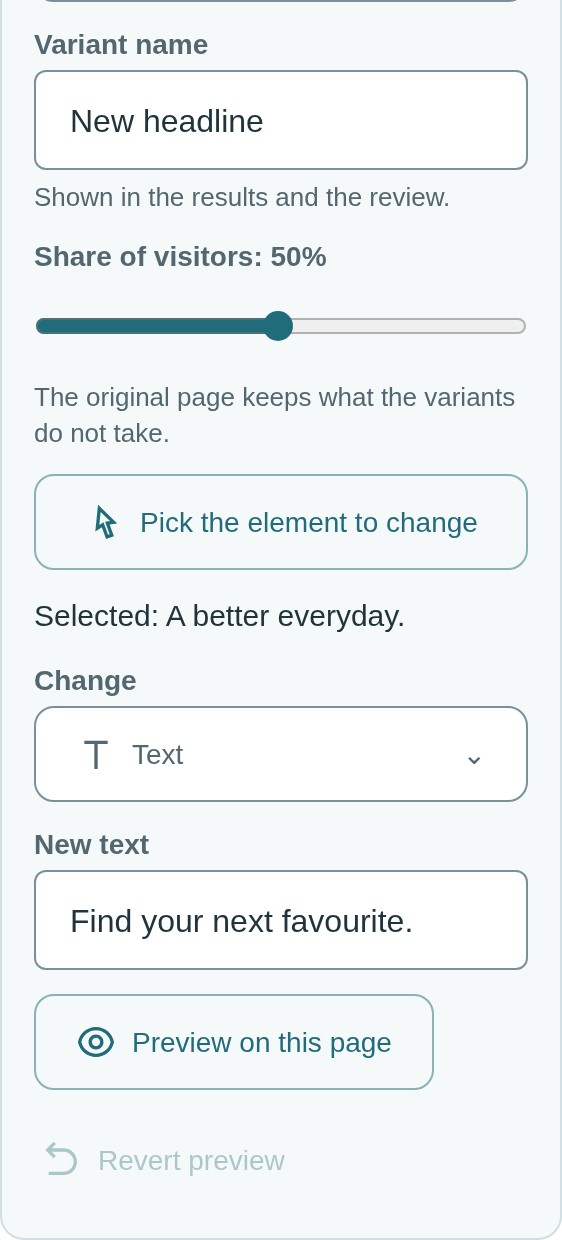
Set up a test in a few steps
Send a variant to another page to compare different landing-page experiences. Review the destination and allowed host before launch.
Set each variant’s share and audience rules, including device and new-or-returning visitors. Review the split before starting.
Choose a goal-page visit or a click on a selected element, such as reaching a thank-you page after signing up.
Who it’s for
PrismCue suits any team that wants to test a change on its own website, whether the change is a headline, a button or a link destination.
Edit a headline, offer or call to action on the live page yourself. Set the traffic split and goal, then read the results in your workspace.
Add one workspace script to your site. Use a split URL test to send a share of visitors to another page you choose, and review the destination before launch.
Test one change, on one page, toward one goal. The product is free to use, so the cost of trying the first test is your time.
The extension runs in desktop Chrome. Mobile browsers are not supported.
Before you choose a tool
These questions apply to any testing tool. Here is how PrismCue answers each one.
PrismCue lets you select an element on the live page and edit its text or supported styles. Split URL tests send visitors to a different page instead.
Each variant has its own share, and audience rules can include device type and new or returning visitors. The shares must total 100%.
Choose a page visit, such as a thank-you page, or a click on a selected element. Set the goal before the test starts.
Results include sample progress and data health. A test can finish without a clear winner, and the dashboard says so.
PrismCue is free to use. Test definitions and results live in your workspace. The privacy policy explains what is stored and how to request deletion.
Read the evidence
Compare visitors and conversions for each version. Check sample progress, uncertainty, and data health before making a decision.
Swipe the preview to explore the full results screen.
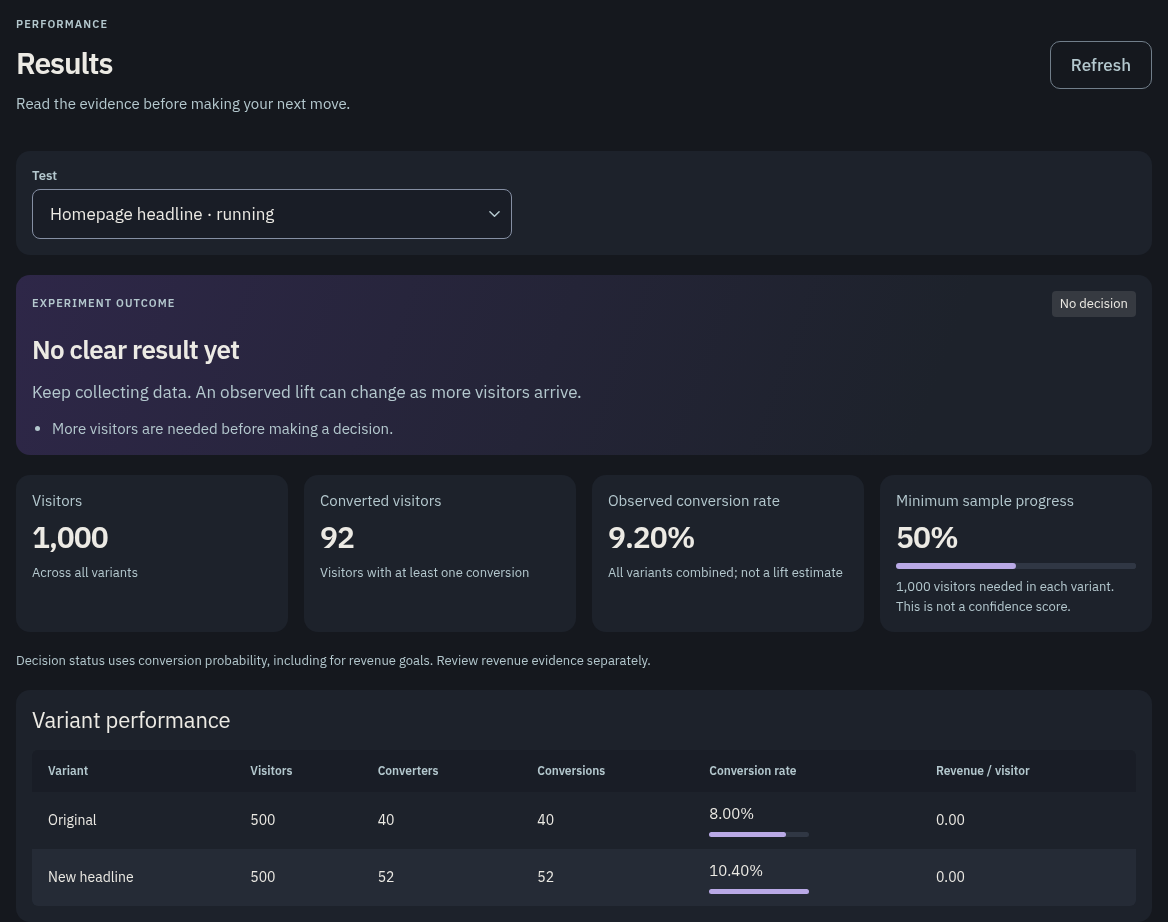
Reading a result
It depends on your baseline conversion rate and the effect you want to detect. Set a minimum sample per variant and a maximum duration. Reaching the minimum does not guarantee a conclusive result.
The dashboard shows when evidence is inconclusive or a test reaches its time limit. Use that information to revisit the hypothesis instead of treating the highest observed conversion rate as a winner.
Use the dashboard to review results and manage launched tests. Create variations, review the setup, and start a new experiment in the extension.
Free website A/B testing
Create a workspace, install the script, and launch your test.
Get started for free